
Provide Feedback on Snap Preview Anywhere
I added Snap Preview Anywhere (SPA) to eHub back in December (eHub entry here). The free service provides a quick visual preview of a site whenever you roll over an external link. This lets you get a quick glimpse of the sites I’m linking to. In eHub, this also makes it easier to browse the list and associate a name with the visual recognition of the site preview.
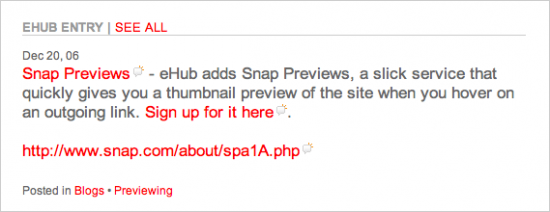
Recently, I was asked by Snap to provide some (volunteer) feedback on a few methods they were testing. Rather than having the preview appear as soon as you rolled over a link, the new option added an icon next to the link. Hovering over that icon would activate the Snap preview.
In response to feedback from users, the team over at Snap has developed an enhancement to the Snap Preview Anywhere (SPA) web service, which will add an icon to SPA-enabled links. The idea is to visually denote which links are SPA-enabled and which ones are not, and thereby in effect eliminate the potential “surprise element” and drastically reduce the number of “accidental triggering” instances.
Snap is looking for feedback and input on the implementation. Visit eHub to see it working (position your mouse over the icon that’s next to a link) and tell them what you think in the comments below.
UPDATE: 02/09/2007 – See Erik Wingren’s post about the SPA use case.
9 Comments
- Alfredo Abambres on February 09, 2007 at 03:43 AM:
It’s getting better. Less intrusive.It needs a better icon: it’s nice but on my screen appears slightly pale and small.
- Hope Leman on February 09, 2007 at 07:12 AM:
Yeech! It is obnoxious–dump it, please. - Bill on February 09, 2007 at 08:38 AM:
I temporarily removed the spa.snap.com rule from Adblock to see how they look now. That is a little better, removing the popup from the link itself and putting it on a little icon.Still, I really have a hard time in seeing the value of the Snap previews. Sure, it’s kinda neat, but what service does it really provide? You can’t read the content of the site in the small screencap. Should we now value websites solely on their visual content/design?
I do applaud Snap from listening to complaints from web users making it easier to disable the previews, and, now, changing how they’re displayed.
- Mike Lee on February 09, 2007 at 10:11 PM:
I much prefer the icon to enable the SPA. Accidental triggering has been an issue for me. I have SPA on my site as well, and I’ve had some friends (who aren’t very tech-savvy) say they were more annoying than helpful.I do worry a bit about all the extra JavaScript “enhancements” that we all add to our sites – though it seems like most modern browsers have been able to handle the extra processing.
And I agree with Bill – it’s great that Snap is listening to their audience about this. Thanks guys! I look forward to a more usable SPA!
- Audioguide on February 10, 2007 at 02:21 AM:
I prefer the previous version, sometimes hard it’s to find the icon with the mouse, and novice users wont even realise that the possibility for preview exists. - Adrian Howard on February 10, 2007 at 08:07 AM:
Having an icon is better than none. I’d still prefer its complete absence. - Bartosz on February 12, 2007 at 08:24 AM:
I like the idea with little icon. Much better than the whole link starting the SPA widget.
And I also agree with Alfredo – the icon is (a little bit) too pale (the size is OK imho). - Emily Chang on February 15, 2007 at 04:20 AM:
The team at SPA will be looking at these issues. Thanks for the feedback! - subcorpus on May 02, 2007 at 01:02 AM:
yes its good when it works fine …
but on slow connection and pages …
it actually becomes a disruption to the browsing experience …
it hides what i am trying to read …
may be it’ll develop into something less intrusive …
its kewl …